|
|
ウェブやソフトウェアに関するサポート&情報サイトです。サイト構築からソフトウェアの作成、利用まであなたの助けになるかも・・・・しれません。たぶん・・。
|
|
ウェブやソフトウェアに関するサポート&情報サイトです。サイト構築からソフトウェアの作成、利用まであなたの助けになるかも・・・・しれません。たぶん・・。
1. Joomla!でCanonical Urlを設定するカテゴリー:エクステンション | 
概要:
今回は、今話題(もう、昔?)のCanonical Urlを設定してくれるモジュールの紹介です。
Canonical Urlとは、直訳すれば、"正規のURL"とでもいうべきでしょうか。意訳すれば、"唯一の正しいURL"という感じでしょうか。
つまり、以下のようにHTMLの中に記 ... 公開日| 2009年11月06日 | コメントはまだありません。 |
2. モジュールに直接PHPコードを記述するカテゴリー:エクステンション |
概要:
PHPのコードを記述できる人にとって、記事の中にPHPコードを記述できないことは、不便に感じるときがあります。
基本的に、Joomlaは、プラグイン、モジュール、テンプレートで、補間したい機能をPHPコードを記述するようにできています。
必要なら、自分用のプラグイン、モジュー ... 公開日| 2009年09月21日 | コメントはまだありません。 |
3. 記事の中にモジュールを表示する(Plugin module in article編)カテゴリー:エクステンション | 
概要:
以前に、「記事の中にモジュールを表示する」という記事を書きました。
この記事は、非常に基本的な内容で、Joomla!1.5では、標準で備わっている機能の一つを紹介したものです。
{loadposition position}
上記のような記述を記事の中に埋め込むことで、位置(ポ ... 公開日| 2009年07月13日 | コメントはまだありません。 |
4. ReReplacerで自動的に文字列を置換するカテゴリー:エクステンション | 
概要 :
Joomla!では、記事の一斉置換などの機能がありません。
そのため、全体的な記事の修正を行うには、その記事の一つ一つ修正しなければなりません。
今回、その修正を一時的にも助けてくれるReReplacerというエクステンションについて記述します。
一斉置換をしてくれる(有 ... 公開日| 2009年07月02日 | 1つのコメントがあります。 |
5. JoomSEO で自動的にMETAタグを作成するカテゴリー:エクステンション |
概要 :
Joomla! では、記事の編集画面に、METAタグ(キーワード、概要)を設定するための記入欄があります。
本来、METAタグ(キーワード、概要)を設定しておけば、GoogleやYahooなどの検索サイトで、より良い検索結果を得られます。
うまく設定していれば、検索結果の上位でヒ ... 公開日| 2009年06月30日 | コメントはまだありません。 |
6. Phoca Downloadで別サイトのファイルをリンクするカテゴリー:エクステンション | 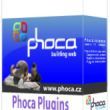
概要 :
Joomla!でDownloadを管理するコンポーネントとしてPhoca Donwloadは、人気のコンポーネントの1つです。
このコンポーネントは、外部リンクの機能があります。これは、Downloadのボタンをクリックした時に、そこへ飛ぶように設定できるものです。
... 公開日| 2009年05月29日 | 1つのコメントがあります。 |
7. Camp26 Random Contentを使って記事をランダム表示するカテゴリー:エクステンション | 
概要 :
Joomla!では、標準で、ニュースフラッシュモジュールというモジュールがあります。
これを使うと、指定された一つのカテゴリの中からランダムに記事を選択し、表示することができます。記事の数は、複数指定することもできます。
ただ、このモジュールでは、セクションでなくカテゴリであり ... 公開日| 2009年05月13日 | コメントはまだありません。 |
8. Joomla!でバナー広告をスライド表示させるカテゴリー:エクステンション | 
概要 :
Joomla!では、標準で、バナーというコンポーネントがあります。
これを使うと、表示順やランダムで、バナーを自動で入れ替えて表示してくれます。非常に便利です。
いちいち、カスタムHTMLなどで、手動で入れ替える必要なんてなりません。
Googleの広告のように内容によって ... 公開日| 2009年05月13日 | コメントはまだありません。 |
9. Joomla! でソースコードをハイライト表示するには(3)カテゴリー:エクステンション | 
概要 :
前回までで((1)、(2))で、基本的な各言語毎に色づけまでできるようになりました。
今回は、色づけしたものの背景色や行番号を設定する方法を簡単に解説したいと思います。
前回も記述したとおり、Joomla!のコンテンツ - Code Hightlighter (GeSHi)は、 ... 公開日| 2009年04月25日 | コメントはまだありません。 |
10. Joomla! でソースコードをハイライト表示するには(2)カテゴリー:エクステンション |
概要 :
前回(Joomla! でソースコードをハイライトする(1))で、記事の中での基本的なソースコードの記述の仕方と簡単な拡張の方法について記述しました。
今回は、各言語のデフォルト色を変更するには、どうしたら良いか・・・を簡単に解説したいと思います。
前回も記述したとおり、Joom ... 公開日| 2009年04月25日 | コメントはまだありません。 |
ウェブやソフトウェアに関するサポート&情報サイトです。サイト構築からソフトウェアの作成、利用まであなたの助けになるかも・・・・しれません。たぶん・・。


 がおすすめ!!